LUFS Metering
Integrated loudness per ITU-R BS.1770-4. With true peak and block statistics. Precise as a studio meter.
Audio Normalizer measures and normalizes audio files to ITU-R BS.1770-4 — matching the Apple Podcasts standard, or any target value you choose. Editorial precision. Sandbox-safe. In 39 languages.
A calm, focused app for a technically demanding task. Not a thousand options — only the ones that matter.
Integrated loudness per ITU-R BS.1770-4. With true peak and block statistics. Precise as a studio meter.
To the Apple Podcasts standard (−16 LUFS) or any target. With true-peak limiting — no overshoots, ever.
Whole folders in one click. Queue persists across app restarts — no lost progress, no broken workflow.
Fully localized interface. Live switching without restart. Fallback system for incomplete translations.
WAV stays WAV, MP3 and FLAC are converted to M4A. Automatic format detection — no data loss.
Native macOS notifications when a batch completes. Processing runs quietly in the background.
Audio Normalizer doesn't only live as an app. It works from the Terminal, in AppleScript workflows, and right in the Finder context menu.
Scripts, automation, batch jobs in the Terminal. Installable from the app's settings — symlink in user PATH, no sudo.
audio-normalizer normalize \
  audio.mp3 --target -16
Integration with Script Editor, Automator, and third-party apps. Audio becomes part of your workflow.
tell application "Audio Normalizer"
  normalize file "audio.mp3"
end tell
Right-click any audio file → Normalize. Directly in the macOS context menu and Quick Actions.
Finder → Right-click →
  Services → "Normalize Audio"
Voice control and automation. Say "Hey Siri, normalize this audio" — and it just happens.
Shortcuts.app →
  Audio Normalizer → Run
Three screens, one promise: no distraction. The Henry Bauer designsystem makes room for the task.
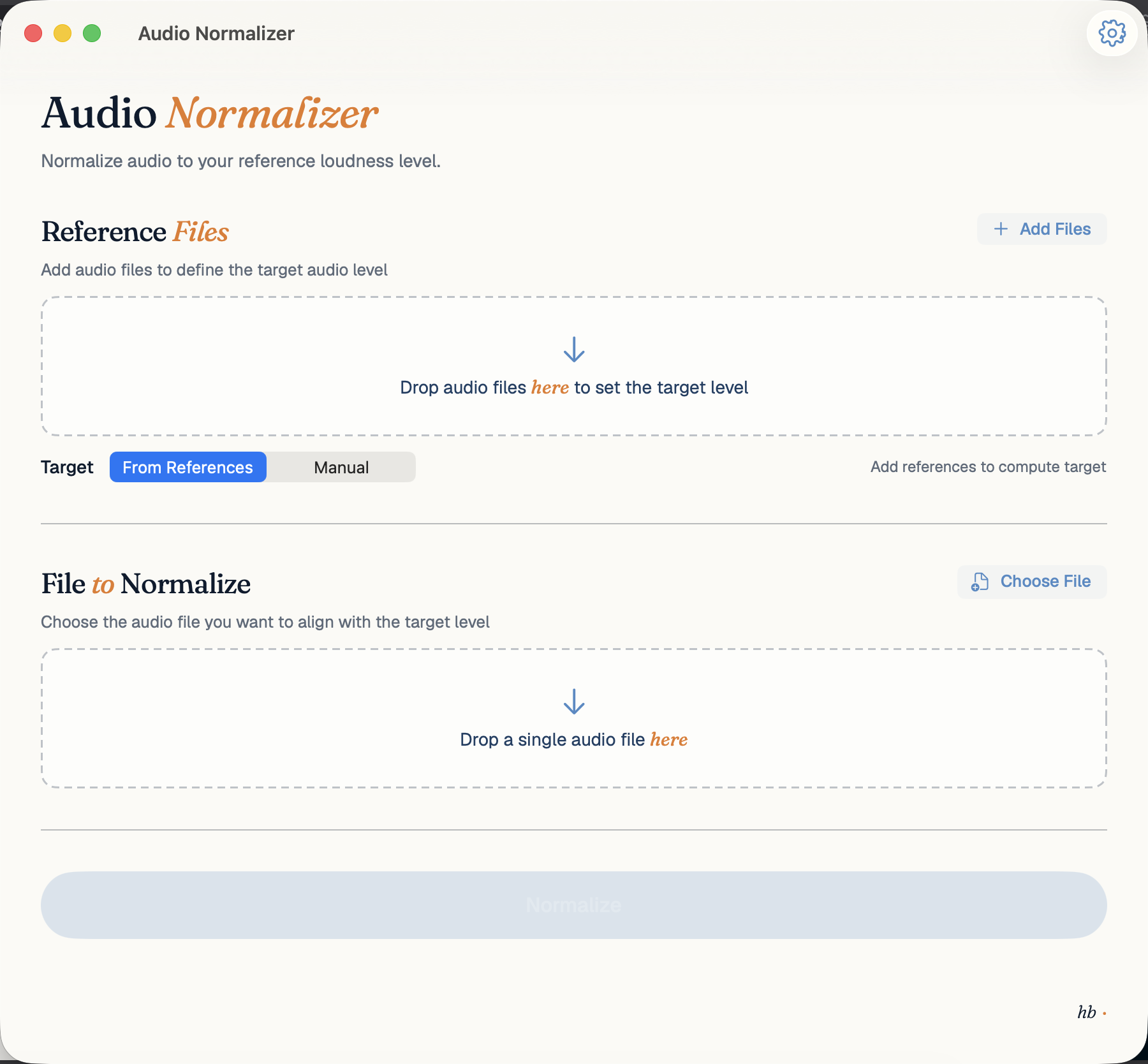
Reference audio defines the target automatically. LUFS averaged across all files.
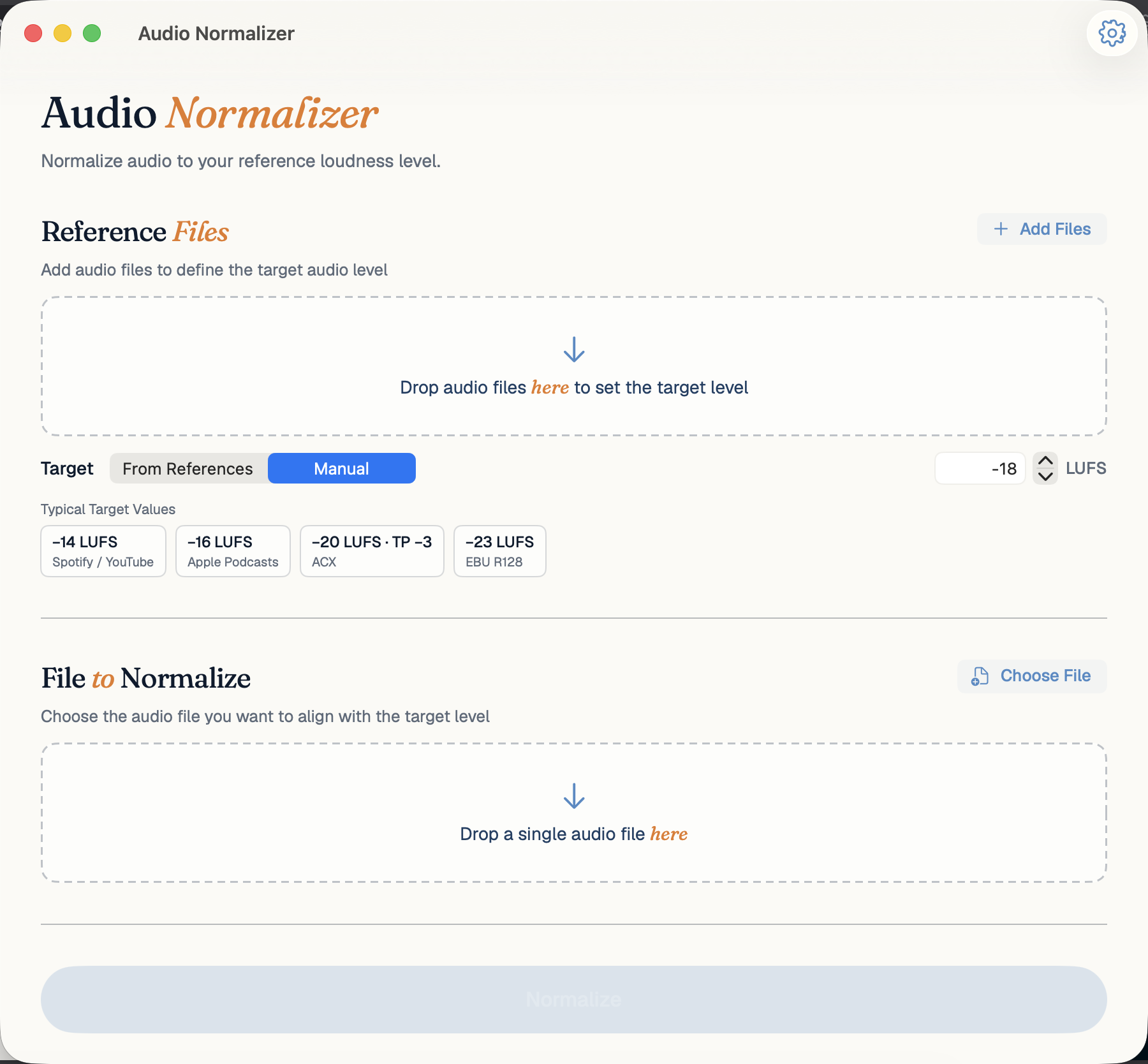
Four presets for Spotify, Apple Podcasts, ACX and EBU R128 — or your own LUFS target.
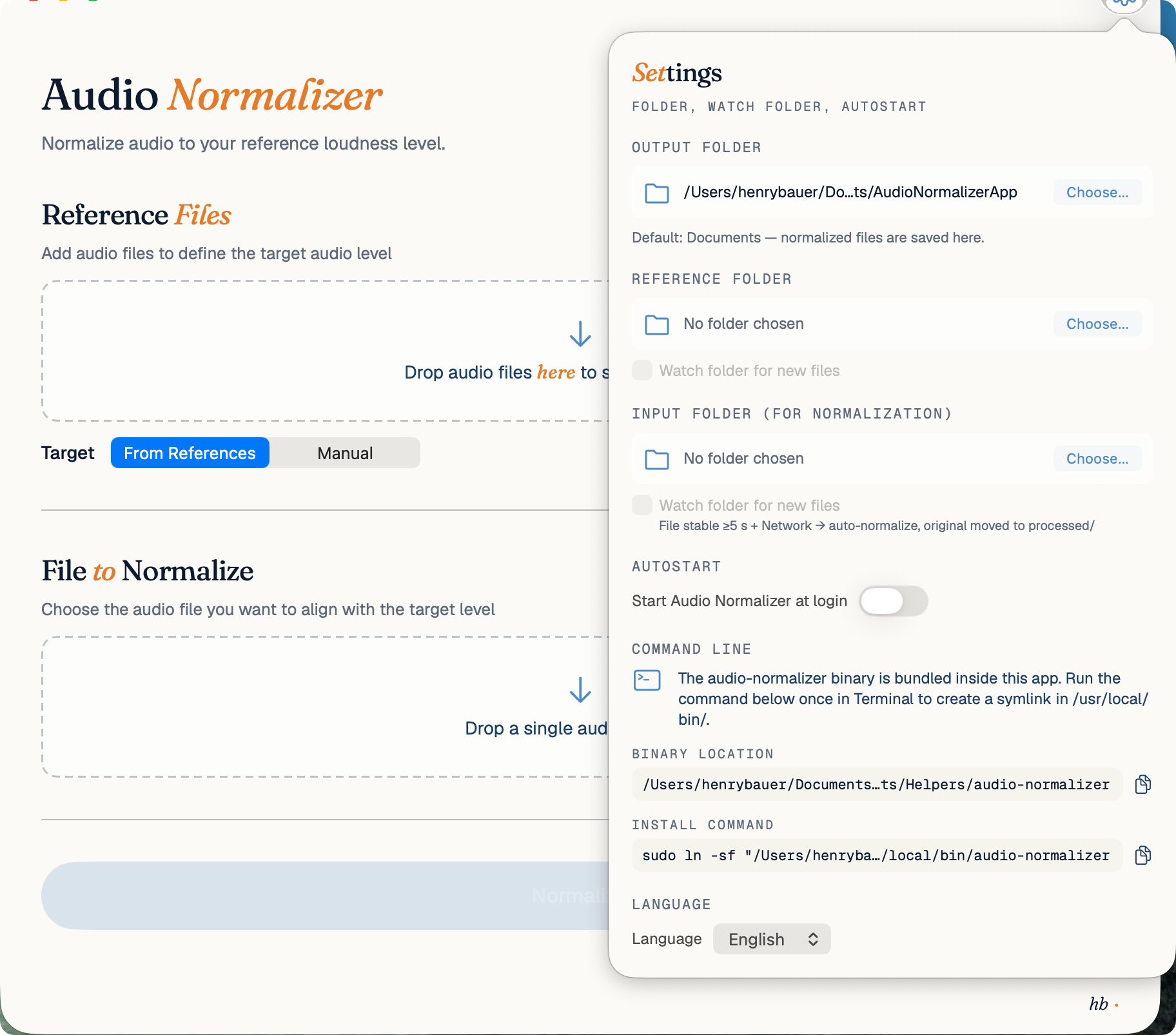
Language picker at the bottom, watch-folder on top — three folders for input, reference, output.
−16 LUFS (Loudness Units Full Scale) is the international standard for stereo audio on podcasts (recommended by Apple Podcasts, Amazon Music, and others). Normalizing your episodes to this target ensures they maintain a consistent volume level compared to other shows in the listener's player. This saves your listeners from constantly having to adjust their volume manually. Audio Normalizer measures integrated loudness according to ITU-R BS.1770-4 and adjusts gain transparently.
Most traditional audio editors require you to load and process each file manually one-by-one. With Audio Normalizer, you can simply drag-and-drop entire folders into the app, set your target loudness once, and start the batch. The native processing engine normalizes all WAV, MP3, or FLAC files in the background, utilizing Apple Silicon architecture for maximum speed, and notifies you when the queue is completed.
One-time purchase in the Mac App Store · No subscriptions · No ads · Lifetime updates
 Coming soon to the Mac App Store